Choosing the right hosting environment for a WordPress website is one of the most consequential technical decisions a website owner will make — yet it is also one of the most misunderstood. The marketplace is saturated with providers offering everything from $2-per-month shared plans to $50-per-month managed WordPress environments, and the price difference alone is rarely sufficient to guide an informed decision.
The real question is not which type of hosting costs less upfront — it is which type of hosting delivers the performance, security, reliability, and administrative convenience that your specific website requires to grow, rank on Google, and convert visitors into customers. The answer depends entirely on your website’s purpose, traffic volume, technical expertise, and growth ambitions.
This comprehensive, unbiased guide dismantles the complete spectrum of differences between managed WordPress hosting and regular web hosting, examining every dimension that matters: performance architecture, security infrastructure, support quality, pricing transparency, scalability potential, and the specific scenarios where each option genuinely excels.
1. What Is Managed WordPress Hosting? — A Precise Definition
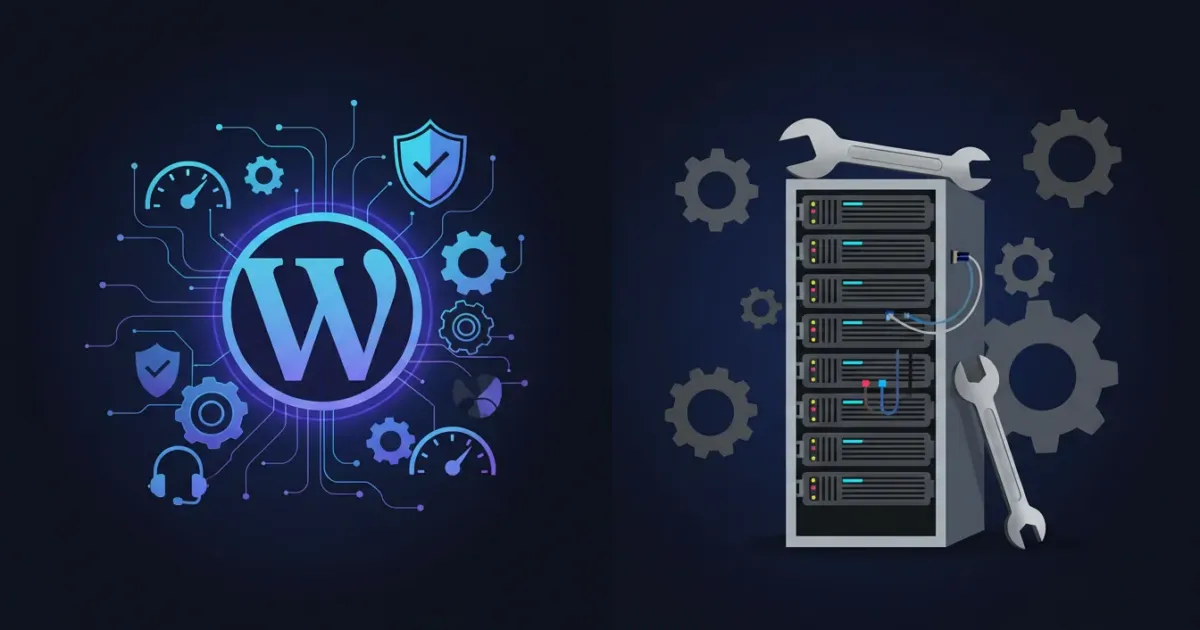
Managed WordPress hosting is a specialized, purpose-built hosting service in which the hosting provider assumes full administrative responsibility for the technical operations of your WordPress installation. Rather than providing a generic server environment that can run any website, managed WordPress hosts engineer their entire infrastructure — server configuration, caching layers, security protocols, update schedules, and support expertise — specifically and exclusively around the requirements of WordPress.
When you purchase a managed WordPress hosting plan, you are not simply renting server space. You are purchasing an active, ongoing management service. The provider’s technical team handles WordPress core updates, plugin security patches, malware scanning and removal, daily backups, performance optimization, and proactive server-level security — leaving you free to focus exclusively on creating content, growing your audience, and running your business.
Leading managed WordPress hosting providers include WP Engine, Kinsta, Flywheel, Cloudways (managed cloud), Nexcess, and the managed WordPress tiers offered by SiteGround, Hostinger, and Bluehost. Each delivers varying levels of automation, performance infrastructure, and support depth — but all share the foundational principle of WordPress-first hosting architecture.
2. What Is Regular Web Hosting? — Understanding the Baseline
Regular web hosting — encompassing shared hosting, standard VPS hosting, and basic cloud hosting plans — provides a general-purpose server environment capable of running virtually any website technology: WordPress, Joomla, Drupal, custom PHP applications, Python frameworks, Ruby on Rails, or static HTML sites. The hosting provider supplies the server infrastructure and technical foundation; the website owner is responsible for all application-layer management.
On a regular shared hosting plan, you install WordPress through a one-click installer (Softaculous, Fantastico) and assume complete responsibility for all subsequent maintenance: updating WordPress core, updating themes and plugins, configuring security settings, managing backups, optimizing database performance, and troubleshooting compatibility issues. The hosting provider manages the physical server and network infrastructure — everything above the operating system level is your responsibility.
Regular hosting is not inferior by definition. For technically capable website owners, developers, and agencies who prefer granular control over their WordPress environment, regular hosting — particularly quality VPS or cloud plans — can deliver excellent performance at significantly lower price points than premium managed WordPress alternatives.
3. The Core Differences: A Side-by-Side Breakdown
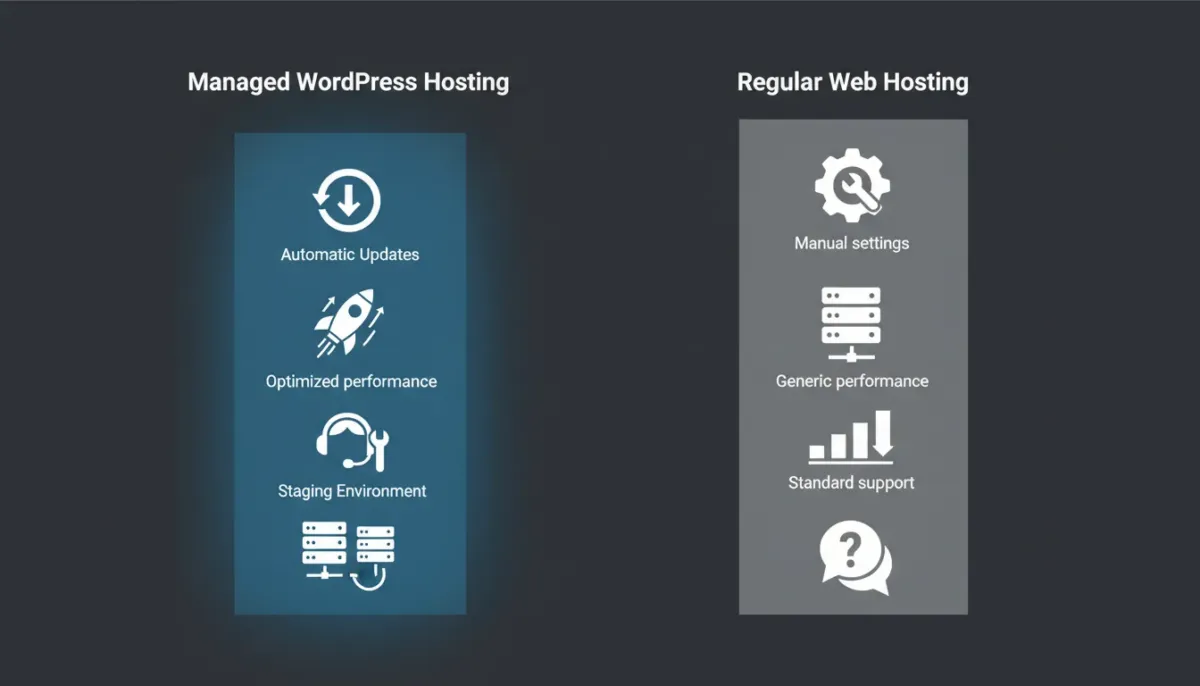
The following comprehensive comparison covers every dimension that meaningfully distinguishes managed WordPress hosting from regular hosting:
| 🔍 Feature / Dimension | ⚙️ Managed WordPress Hosting | 🌐 Regular Web Hosting |
|---|---|---|
| WordPress Setup | Pre-configured, optimized, ready in minutes | Manual installation via control panel |
| WordPress Updates | Automatic — core, themes, plugins handled by host | Manual — owner is responsible |
| Security Management | Active monitoring, malware removal, firewall managed | Basic server firewall; user configures security |
| Performance Optimization | WordPress-specific caching, CDN, server tuning | Generic caching; user installs and configures plugins |
| Daily Backups | Automated with 1-click restore — always included | Varies by plan; often manual or add-on cost |
| Staging Environment | Standard feature — test changes safely before live | Rare on shared; available on VPS/Cloud |
| Support Expertise | WordPress specialists available 24/7 | General hosting support; limited WordPress expertise |
| Scalability | Seamless resource scaling during traffic spikes | Requires manual upgrade or migration |
| Server Technology | WordPress-tuned stack: LiteSpeed/Nginx, PHP-FPM, Redis | Standard LAMP or LEMP stack |
| Allowed Software | WordPress only (on most providers) | Any CMS or custom application |
| Best For | Businesses, bloggers prioritizing performance/security | Developers, multi-site owners, budget starters |
4. Performance: How Each Hosting Type Handles Speed
Performance is arguably the most significant differentiator between managed WordPress hosting and regular hosting — originating from a fundamental architectural difference. Managed WordPress hosts build and configure every component of their server stack with one singular objective: serving WordPress pages as fast as physically possible.
Managed WordPress Hosting — Performance Architecture
- 🚀 WordPress-Specific Full-Page Caching: Managed hosts implement server-level, full-page object caching that stores pre-rendered HTML directly in server memory — delivering sub-200ms response times even for content-heavy WordPress sites under substantial traffic loads.
- ⚡ Optimized PHP-FPM Process Management: PHP-FPM with per-site process isolation ensures resource-intensive plugins on one site cannot degrade PHP execution speed for others. Combined with PHP 8.3 and OPcache, managed hosts eliminate the PHP bottlenecks that routinely plague shared hosting environments.
- 🌐 Integrated Global CDN: Kinsta uses Google Cloud with 37 global data centers; WP Engine’s Global Edge Network spans 12 premium locations. Static assets are served from edge nodes adjacent to your visitors, reducing geographic latency to single-digit milliseconds.
- 💾 NVMe Storage as Standard: All leading managed WordPress providers equip their infrastructure with NVMe SSD storage, delivering database read speeds that directly accelerate every WordPress page request, WooCommerce product query, and media file retrieval.
Regular Hosting — Performance Realities
- 📦 Generic Caching Infrastructure: Regular shared hosting relies on plugin-based caching (W3 Total Cache, WP Super Cache) that operates at the application layer — slower and less efficient than server-level object caching.
- 👥 Shared Resource Contention: On shared hosting, your WordPress site competes for CPU, RAM, and database connections with hundreds of neighboring websites. Traffic spikes on any adjacent site directly degrade your performance.
- 🔧 Performance Is Your Responsibility: Achieving competitive loading speeds requires actively selecting and configuring caching plugins, image optimization tools, database cleanup routines, and CDN integrations.
Real-World Average TTFB Comparison:
| 🏠 Hosting Environment | ⏱️ Average TTFB | 📊 Performance Rating |
|---|---|---|
| Premium Managed WordPress (Kinsta, WP Engine) | 80–180ms | ✅ Excellent |
| Quality Shared Hosting (SiteGround, Hostinger) | 200–400ms | 🟡 Good |
| Standard Shared Hosting (Budget providers) | 500–900ms | 🔴 Poor |
| VPS Hosting (Self-managed) | 120–350ms | 🟡 Good to Excellent |
| Managed Cloud Hosting (Cloudways) | 100–250ms | ✅ Very Good |
5. Security: Who Protects Your WordPress Website?
WordPress powers approximately 43% of all websites on the internet — making it the most frequently targeted CMS by automated attack scripts, brute-force bots, and sophisticated hacking operations. The question of who manages your WordPress security has direct, measurable consequences for your website’s availability, data integrity, and user trust.
Managed WordPress Hosting — Security Infrastructure
- 🛡️ Server-Level Web Application Firewall (WAF): Enterprise managed hosts deploy WAF systems that filter malicious traffic before it reaches your WordPress installation — blocking SQL injection, cross-site scripting, credential stuffing, and vulnerability exploitation at the network perimeter.
- 🔍 Continuous Malware Scanning and Automatic Remediation: Managed WordPress environments perform daily or real-time scanning against known malware signatures. When malicious code is detected, many providers quarantine or remove it automatically.
- 🔒 WordPress-Specific Hardening Configurations: Managed hosts implement server-level hardening: blocking direct access to wp-config.php, disabling XML-RPC when not required, enforcing strong file permissions, and isolating PHP execution to prevent cross-site contamination.
- 📋 PCI DSS and SOC 2 Compliance Infrastructure: Enterprise providers (WP Engine, Kinsta, Nexcess) maintain formal compliance certifications relevant to eCommerce — essential for WooCommerce stores processing payment information.
Regular Hosting — Security Responsibility Model
- 🔧 User-Managed Security Configuration: On regular hosting, you are responsible for installing and configuring a WordPress security plugin (Wordfence, Solid Security, Sucuri), setting up two-factor authentication, and managing file permissions. WordPress application security belongs entirely to you.
- ⚠️ Shared Server Vulnerability Exposure: On shared hosting, a severe breach in a neighboring account can potentially create cross-account contamination vectors, depending on the host’s account isolation architecture.
- 💡 Plugin-Dependent Security: Security plugins provide effective protection when properly configured — but they operate at the PHP layer, consuming server resources that a server-level WAF handles without touching PHP.
6. Automatic Updates and Maintenance — Hands-Off vs Hands-On
Keeping a WordPress installation current is an ongoing operational responsibility with direct security and compatibility implications. The divergence between managed and regular hosting is absolute on this dimension:
- ✅ Managed WordPress: Full Automation Available: Leading managed hosts — WP Engine, Kinsta, Flywheel, Pressable — automatically apply WordPress core security updates, with options to automate plugin and theme updates. Automatic backups are created immediately before each update cycle — enabling instant rollback if compatibility issues emerge.
- 🔧 Regular Hosting: Manual Management Required: On regular hosting, all WordPress updates are your responsibility. Neglecting updates is the single most common cause of WordPress site compromises — the majority of hacked WordPress sites were running outdated core versions or unpatched plugins at the time of breach.
- 🔄 Managed Hosting — Staging-First Update Workflow: The gold standard for WordPress updates is to deploy to staging first, verify compatibility, then push to production only after confirming stability — a workflow standard on premium managed WordPress platforms that virtually eliminates update-related site breakages.
7. Support Quality: General Helpdesk vs WordPress Expert Team
- 🎓 Managed WordPress Support — Deep Specialization: Support engineers at dedicated managed WordPress providers are trained exclusively on WordPress architecture — plugin conflicts, theme issues, WooCommerce configurations, multisite management, and WordPress-specific performance optimization.
- 📞 Managed WordPress Support — Response Speed and Depth: Premium managed WordPress hosts typically offer 24/7 live chat with sub-5-minute initial response times and teams authorized to make server-level changes on your behalf — editing wp-config.php, adjusting PHP settings, reviewing error logs, and restoring backups.
- 🌐 Regular Hosting Support — Generalist Scope: Regular hosting support teams are trained across dozens of technologies. While their server-level knowledge is often strong, WordPress-specific depth is inconsistent — resolving complex WordPress conflicts may require referral to general documentation.
8. Staging Environments and Developer Tools
A staging environment is a precise, isolated replica of your live website where you can safely test WordPress updates, plugin upgrades, theme changes, and custom code without any risk to your live website’s availability or user experience.
- ✅ Managed WordPress — Staging as a Standard Feature: One-click staging environment creation is a defining feature of managed WordPress hosting. WP Engine, Kinsta, Flywheel, and Nexcess all include staging on every plan. Creating a staging site takes under 60 seconds; deploying tested changes requires a single click.
- 🔧 Regular Hosting — Staging Is Rarely Standard: On shared hosting, staging environments are uncommon or entirely absent. Developers typically create manual staging setups by duplicating WordPress to a subdomain — a multi-step process that introduces synchronization complexity when deploying back to production.
- 💻 Developer Tools on Managed WordPress: Leading managed hosts provide Git integration, WP-CLI access, SSH terminal access, LocalWP support, multisite management tools, and deployment pipelines — transforming managed WordPress hosting into a complete professional development platform.
9. Pricing: What You Actually Pay and What You Actually Get
| 💰 Plan Type | ✅ What’s Included | ⚠️ What’s Extra |
|---|---|---|
| Budget Shared Hosting | SSL, 1-click WP install, basic backups, email | Security plugins, CDN, staging, performance tools |
| Premium Shared Hosting | SSL, LiteSpeed, NVMe, CDN, free domain, daily backups | Staging, advanced security, expert WP support |
| Entry Managed WordPress | All above + staging, auto-updates, WP expert support, CDN | Higher traffic limits, multi-site, extra storage |
| Mid-Tier Managed WordPress | Full stack + Git, SSH, analytics, priority support | Agency features, white-labeling, custom SLAs |
| Enterprise Managed WP | Dedicated resources, SLA guarantees, compliance certs | Custom contracts only |
💡 True Cost Insight: A $5/month shared hosting plan plus Wordfence Premium ($119/yr), a CDN subscription ($20/mo), a backup plugin ($80/yr), and the time investment to manage updates and security manually can easily total more than an entry-level managed WordPress plan — while delivering an inferior, less reliable result.
10. Who Should Choose Managed WordPress Hosting?
- 🏢 Business Owners and Entrepreneurs: If your website directly generates revenue — through eCommerce, lead generation, affiliate marketing, or service bookings — the managed plan cost is justified by performance improvements, security guarantees, and reduced risk of downtime that could directly impact income.
- ✍️ Serious Content Creators and Bloggers: WordPress bloggers building substantial traffic audiences benefit from automatic update management, expert support, and performance optimization — freeing creative time from technical maintenance cycles.
- 🛒 WooCommerce Store Owners: Online stores require consistent uptime, fast loading times, robust security for customer payment data, and PCI compliance infrastructure — all standard on enterprise managed WordPress hosting.
- 📱 Non-Technical Website Owners: Anyone who wants a professionally performing WordPress website without learning server management, security configuration, and performance optimization should choose managed WordPress hosting.
- 🚀 High-Traffic Websites: Websites regularly exceeding 50,000 monthly visitors require the scalable resource allocation, traffic spike handling, and infrastructure redundancy that managed WordPress platforms provide reliably.
11. Who Should Choose Regular Hosting?
- 👨💻 Developers and Technical Website Owners: Experienced developers who require granular control over their server environment, PHP configuration, and WordPress installation benefit from quality VPS or cloud hosting at significantly lower price points than managed alternatives.
- 🌐 Multi-CMS or Multi-Application Environments: If you need to run WordPress alongside Joomla, custom PHP applications, or multiple CMS platforms on the same account, regular hosting is your only practical option — most managed WordPress providers exclusively support WordPress installations.
- 🌱 Beginner Websites and Starter Projects: New websites with minimal traffic and no revenue dependency can start on quality shared hosting and migrate to managed platforms as traffic and revenue grow.
- 💼 Digital Agencies Managing Multiple Client Sites: Agencies often find that robust VPS or reseller hosting provides better per-site economics than individual managed WordPress subscriptions — particularly when their internal team provides the management layer that managed hosting would otherwise supply.
12. Frequently Asked Questions
Q: Can I migrate my existing WordPress site from regular to managed hosting?
Yes — most premium managed WordPress providers make this remarkably straightforward. WP Engine, Kinsta, and SiteGround all offer free migration services, handling the technical transfer of your files, database, and configurations without downtime. Some providers offer automated migration plugins that complete the process in under 30 minutes.
Q: Is managed WordPress hosting faster than regular hosting for all websites?
For WordPress-specific workloads — particularly dynamic content, WooCommerce stores, and sites with high plugin complexity — managed WordPress hosting consistently outperforms regular shared hosting in TTFB, LCP, and overall loading speed. A premium shared hosting plan with LiteSpeed and NVMe SSD can approach managed performance levels for simple, low-traffic WordPress blogs.
Q: Is managed WordPress hosting worth the higher price?
For websites with revenue dependency, substantial traffic, non-technical ownership, or strict security requirements, managed WordPress hosting is worth every dollar of the premium. The time saved on maintenance, risk reduction from professional security management, performance advantages, and expert support access collectively deliver returns that far exceed the monthly cost differential.
Q: Can I install any WordPress plugin on managed hosting?
Most managed WordPress providers maintain a list of prohibited plugins — typically those conflicting with the provider’s own caching or security infrastructure. WP Engine and Kinsta publish their disallowed plugin lists publicly. In practice, these restrictions rarely affect standard WordPress workflows and are offset by the managed provider’s own superior alternatives.
Q: What happens if my managed WordPress site gets hacked?
On premium managed WordPress hosting, a security breach triggers an immediate response: malware is identified and removed, affected files are restored from clean backups, and the vulnerability vector is patched. WP Engine, Kinsta, and Nexcess all include hack cleanup in their service terms at no additional charge.
Ready to Upgrade to Managed WordPress Hosting? — Explore Exclusive Deals
The evidence is clear: for WordPress websites where performance, security, uptime, and long-term growth matter, managed WordPress hosting delivers a fundamentally superior foundation at a price premium that is smaller — and more justifiable — than it initially appears.
Every managed WordPress provider featured in our exclusive deals section has been evaluated against rigorous performance, security, and support benchmarks. Browse our curated comparisons, take advantage of promotional pricing of up to 65% off, and invest in the hosting infrastructure that will carry your WordPress website to its full potential.