
In the attention economy of the modern web, speed is not a luxury feature — it is the price of admission. Research published by Google confirms that 53% of mobile users abandon a website that takes longer than three seconds to load. Amazon calculated that every 100-millisecond delay in page load time costs them 1% in sales revenue. Walmart reported a 2% increase in conversions for every one-second improvement in loading speed. The pattern is universal and unforgiving: slow websites bleed traffic, revenue, and search rankings at a measurable, relentless rate.
And while developers obsess over image compression, JavaScript minification, and caching plugins, the most consequential determinant of your website’s loading speed sits entirely beneath those optimizations — your web hosting infrastructure. No amount of frontend fine-tuning can compensate for a server that responds sluggishly, sits overcrowded with thousands of competing websites, or operates on outdated storage technology.
This comprehensive guide dismantles exactly how web hosting affects website loading time, which hosting technologies separate fast websites from frustratingly slow ones, and how to select a hosting plan that delivers the speed your visitors expect and your Google rankings demand in 2025.
1. Why Website Speed Is a Business-Critical Metric
Website loading time ceased being a purely technical concern the moment Google incorporated page speed into its ranking algorithm in 2010. Since then, speed has evolved into a multi-dimensional business metric with direct implications for search visibility, user engagement, conversion rates, and long-term brand credibility.
- 📉 Bounce Rate Escalation: Pages that load in 1 second have an average bounce rate of 9%. Pages taking 5 seconds experience a 38% bounce rate. At 10 seconds, 123% more visitors leave compared to a 1-second page — representing a catastrophic loss of organic traffic investment.
- 💰 Revenue Impact: A 1-second delay in page response can result in a 7% reduction in conversions. For a website generating $10,000 per day, that single second of latency costs $700 daily, $25,550 monthly, and over $255,000 annually.
- 🔍 SEO Ranking Penalty: Google’s 2021 Page Experience update made loading speed an explicit ranking signal through Core Web Vitals. Websites failing speed benchmarks are systematically ranked below faster competitors — regardless of content quality or backlink strength.
- 📱 Mobile Experience Expectation: With over 60% of global web traffic originating from mobile devices, and mobile networks inherently slower than broadband, server-side speed optimizations become exponentially more important. Your hosting server’s response time is the ceiling on mobile performance.
2. The Direct Link Between Hosting and Loading Time
Every millisecond of your website’s loading time begins at the server level — before a single line of your website’s code has been executed, before any image has started downloading, before any CSS has been parsed. Your hosting server’s response is the absolute first event in the chain of operations that renders your website on a visitor’s screen.
This first response — measured as Time to First Byte (TTFB) — is determined entirely by your hosting infrastructure: the processing power of your server’s CPU, the read speed of its storage drives, the efficiency of its database queries, and the proximity of its physical location to your visitor. No client-side optimization can accelerate a process that begins and ends on the server before the browser receives a single byte of data.
The hosting-speed relationship manifests across five critical dimensions: server hardware quality, resource allocation and contention, web server software efficiency, geographic server location, and caching architecture. We examine each in detail in the sections that follow.
3. Key Hosting Technologies That Determine Your Speed
The performance gap between a sluggish $2/month shared hosting plan and a premium high-performance hosting environment is not arbitrary — it is the direct product of specific, measurable technology decisions. Here are the core infrastructure elements that separate fast websites from slow ones:
- 💾 NVMe SSD Storage: NVMe (Non-Volatile Memory Express) solid-state drives are the fastest commercially available storage technology, delivering read speeds up to 7,000 MB/s — approximately 35x faster than traditional SATA SSDs and over 100x faster than mechanical hard disk drives (HDDs). Hosting servers equipped with NVMe storage retrieve your website files, database queries, and cached data with dramatically reduced latency. This single hardware upgrade is responsible for some of the most dramatic website speed improvements measurable in real-world testing.
- ⚡ LiteSpeed Web Server: LiteSpeed is an enterprise web server software that processes HTTP requests with substantially greater efficiency than Apache — the traditional default on most shared hosting environments. LiteSpeed handles concurrent connections through an event-driven, asynchronous architecture that consumes significantly less server memory and CPU per request. The result: websites on LiteSpeed servers load 4–6x faster than equivalent sites on Apache, particularly under high traffic loads. LiteSpeed also natively supports HTTP/3 and QUIC protocols.
- 🚀 HTTP/3 and QUIC Protocol Support: HTTP/3 — the latest generation of the Hypertext Transfer Protocol — eliminates the connection establishment overhead inherent in older HTTP/1.1 and HTTP/2 implementations. Built on QUIC (Quick UDP Internet Connections), HTTP/3 reduces latency by establishing encrypted connections in a single round-trip and maintaining performance even when packet loss occurs — a critical advantage on mobile networks and congested connections.
- 🧠 Server-Side Caching Technology: Premium hosting environments implement multiple layers of intelligent caching: OpCache for PHP bytecode compilation, Redis or Memcached for database query results, and full-page object caching that serves pre-rendered HTML directly from server memory — bypassing database queries and PHP execution entirely. Sites with enterprise-grade server caching can load in under 300 milliseconds even under substantial traffic volumes.
- 🌐 Content Delivery Network (CDN) Integration: A CDN distributes your website’s static assets — images, CSS files, JavaScript, fonts — across a global network of edge servers positioned in data centers on every continent. When a visitor accesses your site, the CDN serves assets from the nearest geographic node rather than your origin hosting server, reducing physical data travel distance from thousands of miles to potentially less than 100 kilometers.
- 🔧 PHP 8.x Support: PHP 8.x represents a generational performance leap over PHP 7.x and the legacy PHP 5.x still running on many budget hosting environments. PHP 8.2 and 8.3 execute WordPress and other CMS applications up to 3x faster than PHP 7.4. Your hosting provider’s supported PHP version directly determines your application’s backend execution speed.
4. How Shared Hosting Silently Throttles Your Website
Shared hosting is the entry point for millions of website owners — and for good reason. At $2–$15 per month, it provides an accessible, low-commitment starting point for blogs, portfolios, and small business websites. However, the economic model of shared hosting creates a structural performance constraint that every website owner must understand.
On a shared hosting server, your website coexists with hundreds — sometimes thousands — of other websites on the same physical machine. All these websites share the same pool of CPU cores, RAM, storage I/O bandwidth, and network throughput. This resource contention model creates several speed-limiting dynamics:
- 🐌 The ‘Bad Neighbor’ Effect: When a neighboring website on your shared server experiences a traffic spike, executes a resource-intensive script, or is targeted by a bot attack, it consumes a disproportionate share of the server’s resources — directly slowing every other website on the same machine, including yours. You have zero control over this scenario.
- 📊 CPU Throttling: Most shared hosting providers impose strict CPU usage limits per account. When your website exceeds these thresholds — even momentarily during legitimate traffic spikes — the server throttles your CPU allocation, causing noticeable loading slowdowns precisely when speed matters most: during peak traffic periods.
- 🗄️ Database Performance Degradation: Shared hosting environments typically run all MySQL databases for all accounts on the same database server. Query queuing, connection limits, and memory constraints compound as the number of active websites grows. WordPress sites with complex queries or heavy plugin stacks are particularly vulnerable to this bottleneck.
- 🔄 Overloaded Server Conditions: Budget shared hosting providers oversell server capacity — packing more accounts onto each server than its hardware can comfortably serve — as a deliberate cost management strategy. The resulting chronic overload conditions produce consistently elevated TTFB values and unpredictable loading time spikes.
This does not mean shared hosting is universally unsuitable. Premium shared hosting from reputable providers — using LiteSpeed servers, NVMe storage, aggressive resource management, and intelligent traffic isolation — can deliver genuinely fast performance for low-to-medium traffic websites. The critical variable is the provider’s infrastructure quality and server density management policy.
5. TTFB Explained — The Hosting Speed Metric Google Actually Measures
Time to First Byte (TTFB) is the single most direct, server-side measurement of hosting performance. It measures the elapsed time between a browser sending an HTTP request and receiving the very first byte of data from the server — the foundational event that precedes every subsequent page-loading process.
Google’s official guidance recommends a server TTFB of under 200 milliseconds as the benchmark for good performance. TTFB values between 200–600ms are considered moderate, while anything exceeding 600ms indicates a server-side performance problem that no amount of frontend optimization can fully compensate for.
| ⏱️ TTFB Range | 📊 Performance Rating | 🔧 Primary Cause |
|---|---|---|
| Under 200ms | ✅ Excellent — Google’s Target | Premium hosting with NVMe SSD + caching |
| 200ms – 400ms | 🟡 Good — Acceptable for most sites | Quality shared or VPS hosting |
| 400ms – 600ms | 🟠 Moderate — Optimization needed | Average shared hosting or weak VPS |
| 600ms – 1,000ms | 🔴 Poor — Direct SEO impact | Overloaded shared hosting server |
| 1,000ms+ | 🚨 Critical — Immediate action required | Severely overcrowded or underspec’d server |
Measuring your current TTFB takes under 60 seconds: open Google Chrome DevTools (F12), navigate to the Network tab, reload your page, click on the first document request, and read the ‘Waiting (TTFB)’ value in the Timing panel. If your TTFB exceeds 400ms, your hosting provider — not your website’s code — is your primary performance bottleneck.
6. Core Web Vitals and Your Hosting Provider’s Role
Google’s Core Web Vitals are the three user-experience metrics at the center of its Page Experience ranking algorithm. While all three are ultimately experienced on the client side, each has a direct and measurable dependency on hosting server performance:
- 📸 Largest Contentful Paint (LCP) — Target: Under 2.5 Seconds: LCP measures how long it takes for the largest visible content element (typically a hero image or headline) to fully render. Server TTFB is the first event in the LCP timeline — a slow server response directly delays the start of every subsequent rendering operation. LCP is the Core Web Vital most directly improved by upgrading hosting infrastructure.
- 📐 Cumulative Layout Shift (CLS) — Target: Under 0.1: CLS measures unexpected visual movement of page elements during loading. While primarily a front-end concern, hosting-side issues — such as slow font loading or delayed server responses causing asynchronous resource loading — can contribute to elevated CLS scores.
- 🖱️ Interaction to Next Paint (INP) — Target: Under 200ms: INP measures the responsiveness of a page to user interactions. Pages hosted on server-side rendered frameworks (WordPress, PHP-based CMS) benefit directly from faster PHP execution speeds and server-side caching — both determined by your hosting provider’s infrastructure quality and PHP version support.
Hosting providers that support LiteSpeed server caching, NVMe storage, PHP 8.3, and integrated CDN networks consistently deliver Core Web Vitals scores in the ‘Good’ range for their customers — while budget providers on Apache with HDD storage routinely produce failing scores that suppress search rankings irrespective of content quality.
7. CDN Integration — How Geography Impacts Loading Times
Physical distance between your hosting server and your website visitor is an inescapable constraint governed by the laws of physics. Data traveling through fiber optic cables propagates at roughly two-thirds the speed of light — meaning a round-trip between a visitor in Tokyo and a server in Dallas adds approximately 150–200 milliseconds of unavoidable latency before any server processing even begins.
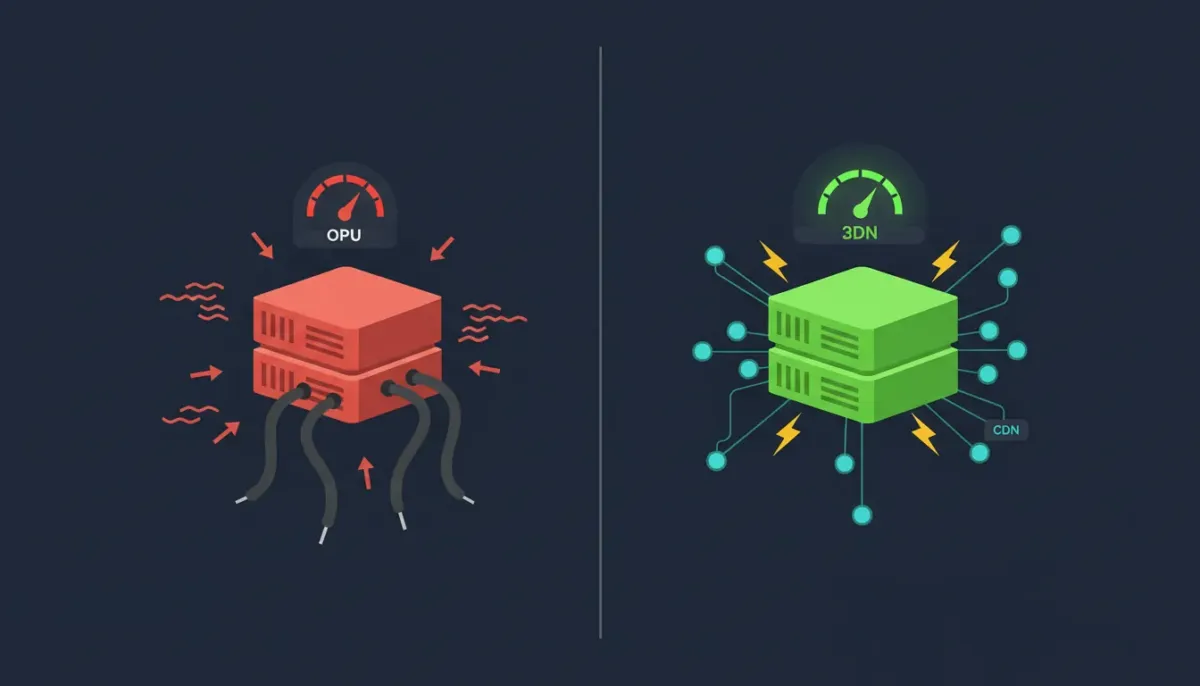
A Content Delivery Network (CDN) addresses this geographic bottleneck by maintaining a globally distributed network of ‘edge’ servers — data center nodes positioned in major population centers across every continent. Static website assets — images, stylesheets, JavaScript files, video thumbnails, downloadable documents — are cached on these edge nodes and served to visitors from the geographically nearest location.
- 🌍 Dramatically Reduced Latency: A visitor in Berlin accessing a website hosted in Los Angeles without CDN experiences ~150ms of transatlantic propagation delay. With a CDN edge node in Frankfurt, the same visitor receives static assets from under 20km away — reducing that latency component to under 5ms.
- 📦 Origin Server Load Reduction: By offloading static asset delivery to CDN edge nodes, your origin hosting server focuses exclusively on dynamic content generation — reducing its workload and accelerating TTFB for database-driven page requests.
- 🛡️ DDoS Resilience: Enterprise CDN networks absorb distributed attack traffic at edge nodes before it reaches your origin server — providing a significant layer of availability protection as a byproduct of the performance infrastructure.
- 🔄 Automatic Cache Invalidation: Quality CDN integrations automatically purge and refresh cached assets when you update your website — ensuring visitors always receive current content without sacrificing delivery speed.
Leading hosting providers including Cloudflare-integrated plans, Hostinger’s built-in CDN, and WP Engine’s Global Edge Network include CDN functionality directly within their hosting packages — eliminating the need for a separate CDN subscription and ensuring seamless cache management between your hosting and delivery layers.
8. Hosting Speed Comparison: Shared vs VPS vs Cloud vs Managed WordPress
Choosing the right hosting type for your website’s traffic level and performance requirements is among the most consequential decisions in your website’s technical infrastructure. Here is a definitive performance-focused comparison of the four primary hosting environments:
| 📋 Hosting Type | ⚡ Avg TTFB | 🎯 Best For | 📈 Scalability |
|---|---|---|---|
| Shared Hosting | 200–800ms | Blogs, Portfolios, Starter Sites | Low |
| VPS Hosting | 80–300ms | Growing Sites, Developers, SMBs | Medium |
| Cloud Hosting | 50–200ms | SaaS, eCommerce, Traffic Spikes | Very High |
| Managed WordPress | 80–250ms | WordPress Sites, Content Creators | Medium |
| Dedicated Server | 30–150ms | Enterprise, High-Traffic Sites | Fixed |
📌 Performance Insight: The TTFB ranges above represent averages across the hosting category. Within each tier, infrastructure quality varies dramatically between providers. A premium shared hosting plan from Hostinger or SiteGround (LiteSpeed + NVMe) can outperform a budget VPS from an infrastructure-poor provider in real-world TTFB testing.
9. How to Test Your Website’s Current Speed Performance
Before evaluating hosting upgrades, establish a precise baseline measurement of your website’s current performance. Use these industry-standard tools to capture accurate, actionable speed data:
- 🔬 Google PageSpeed Insights (pagespeed.web.dev): Google’s own performance measurement tool — provides Core Web Vitals scores for both mobile and desktop, field data from real Chrome users, and specific recommendations with quantified impact estimates. Your PageSpeed score directly reflects how Google evaluates your site’s performance for ranking purposes.
- 📡 GTmetrix (gtmetrix.com): Offers granular waterfall analysis of every resource loaded by your page, identifying precise bottlenecks including server response time, render-blocking resources, and asset loading sequence. The TTFB metric is clearly displayed for direct hosting performance assessment.
- 🌐 WebPageTest (webpagetest.org): The most technically detailed free speed testing tool available — allows testing from multiple global locations simultaneously, revealing geographic performance variations caused by server proximity. Filmstrip view shows exactly how your page loads frame-by-frame over time.
- 🔧 Chrome DevTools (F12 → Network Tab): Direct in-browser TTFB measurement without third-party latency variables. Reload your page with the Network panel open, click the first HTML document request, and read the ‘Waiting (TTFB)’ value from the Timing section.
- ⚡ Pingdom Website Speed Test (tools.pingdom.com): Clean, accessible speed testing with performance grade, load time, page size, and request count — ideal for non-technical website owners seeking actionable speed insights without navigating complex developer tooling.
10. What to Look for in a Fast Hosting Provider
Armed with a clear understanding of the technical factors that govern hosting speed, here are the precise specifications to verify in any hosting plan before committing your website to its infrastructure:
- ✅ NVMe SSD Storage (Not SATA SSD): Specifically confirm NVMe — not just ‘SSD.’ NVMe delivers 5–10x faster storage I/O than SATA SSDs, with a direct impact on database queries, file reads, and cache operations.
- ✅ LiteSpeed or Nginx Web Server: Avoid plans running Apache without additional caching layers. LiteSpeed or Nginx with proper configuration dramatically outperforms Apache under concurrent traffic loads.
- ✅ PHP 8.2 or 8.3 Support: Confirm you can select PHP 8.2+ from the control panel. Legacy PHP versions execute WordPress and other CMS applications significantly slower.
- ✅ Built-In Server Caching: Look for native OpCache, LSCache (LiteSpeed Cache), Redis, or Memcached support — not just plugin-based caching that still taxes the server.
- ✅ Integrated CDN or Cloudflare Partnership: CDN inclusion — whether proprietary or through Cloudflare’s global network — should be standard, not an add-on that increases your monthly cost.
- ✅ Verified Uptime of 99.9% or Higher: Cross-reference provider uptime claims against independent monitoring services like StatusCake or UptimeRobot user reports before purchasing.
- ✅ Data Center Locations Relevant to Your Audience: Select a provider with data center options in the geographic region where the majority of your target audience is located — proximity to your server reduces baseline propagation latency for your most valuable visitors.
- ✅ Transparent Renewal Pricing: Some providers advertise aggressively low introductory rates with dramatically higher renewal prices. Calculate the true annual cost over a three-year period before making a purchasing decision.
11. Frequently Asked Questions About Website Speed and Hosting
Q: Can a cheap hosting plan ever be fast?
Yes — with important caveats. Premium budget providers like Hostinger and Namecheap have invested in LiteSpeed servers and NVMe storage even on their entry-level shared plans, delivering genuine speed at low price points. The critical distinction is provider infrastructure investment, not price tier alone. A $3/month Hostinger plan consistently outperforms a $15/month plan from an infrastructure-deficient competitor in independent benchmarks.
Q: How much does hosting speed actually impact Google rankings?
Hosting speed impacts Google rankings through multiple confirmed channels: TTFB is a direct component of LCP (a Core Web Vitals ranking signal); page speed is an explicit ranking factor in Google’s Page Experience update; and Chrome’s Core Web Vitals data collected from real users influences ranking calculations. In highly competitive niches, the speed advantage from premium hosting infrastructure can be the decisive margin between a first-page and second-page ranking position.
Q: Should I upgrade to VPS hosting for better speed?
If your website consistently experiences TTFB above 500ms on shared hosting and you have optimized your CMS, plugins, images, and database, a VPS upgrade is the logical next step. VPS hosting provides dedicated CPU and RAM resources, eliminating the ‘bad neighbor’ resource contention problem inherent in shared environments. However, a premium shared plan with LiteSpeed and NVMe may outperform an entry-level VPS from a different provider — always compare specific configurations, not just plan types.
Q: Does hosting location affect my website’s speed?
Significantly, yes. Every 100km of physical distance between your server and a visitor adds approximately 0.33 milliseconds of propagation latency — a fixed overhead that no software optimization can eliminate. For websites targeting audiences in a specific geographic region, selecting a hosting data center located within or adjacent to that region is one of the highest-impact, lowest-effort speed improvements available.
Q: What is the fastest type of web hosting available in 2025?
Dedicated servers and bare-metal cloud instances deliver the lowest absolute TTFB and highest throughput — but at enterprise price points. For most websites, a managed cloud hosting plan or premium VPS with NVMe storage, LiteSpeed, full-page caching, and integrated CDN provides excellent real-world performance at a fraction of the cost. The best balance of speed and value in 2025 lies in managed WordPress hosting and premium VPS plans from performance-focused providers.
Q: If I fix my images and install a caching plugin, do I still need fast hosting?
Frontend optimizations are valuable but operate within the ceiling imposed by your server’s TTFB. A perfectly optimized website on a slow server will still deliver a poor loading experience because the browser cannot begin rendering until it receives the initial server response. Think of it as a relay race: no matter how fast the second runner is, the team cannot win if the first runner is slow. Fast hosting is the first runner.
Stop Letting Slow Hosting Cost You Rankings and Revenue
The relationship between hosting and website speed is not theoretical — it is measured in milliseconds, bounce rates, conversion percentages, and Google ranking positions. Every day your website operates on an infrastructure that cannot meet modern speed expectations is a day you are actively losing ground to competitors who have already made the upgrade.
Every hosting deal featured on this website has been selected with performance as a non-negotiable criterion: NVMe SSD storage, LiteSpeed servers, integrated CDN, PHP 8.3 support, and 99.9%+ uptime guarantees are standard across all our recommended plans. Browse our exclusive deals — with savings of up to 80% off standard pricing — and give your website the performance foundation it deserves.