The moment you decide to build a website — whether it is a personal blog, a business landing page, an affiliate marketing platform, or a full-scale eCommerce operation — the first genuinely consequential decision you face is not which theme to use or which color palette best represents your brand. It is choosing the right web hosting provider. Every other element of your website’s success — its loading speed, its search engine visibility, its security, its ability to handle growing traffic — is built upon the foundation that your hosting environment provides.
The web hosting marketplace in 2025 is extraordinarily crowded, deliberately complex, and strategically optimized to overwhelm buyers into making impulsive decisions based on promotional pricing rather than substantive technical merit. Marketing language like ‘unlimited bandwidth,’ ‘blazing-fast servers,’ and ‘99.99% guaranteed uptime’ appears across virtually every provider’s homepage — rendering these phrases essentially meaningless without the context and critical evaluation framework to interpret them honestly.
This comprehensive buying guide delivers exactly that framework. It systematically examines every factor that genuinely determines whether a web hosting plan will serve your website’s needs — and your users’ expectations — with the consistency, performance, and reliability that a professional online presence demands. Read this guide before you commit to any hosting provider, and you will make a decision you will not need to reverse.
1. Uptime Guarantee: The Non-Negotiable Performance Baseline
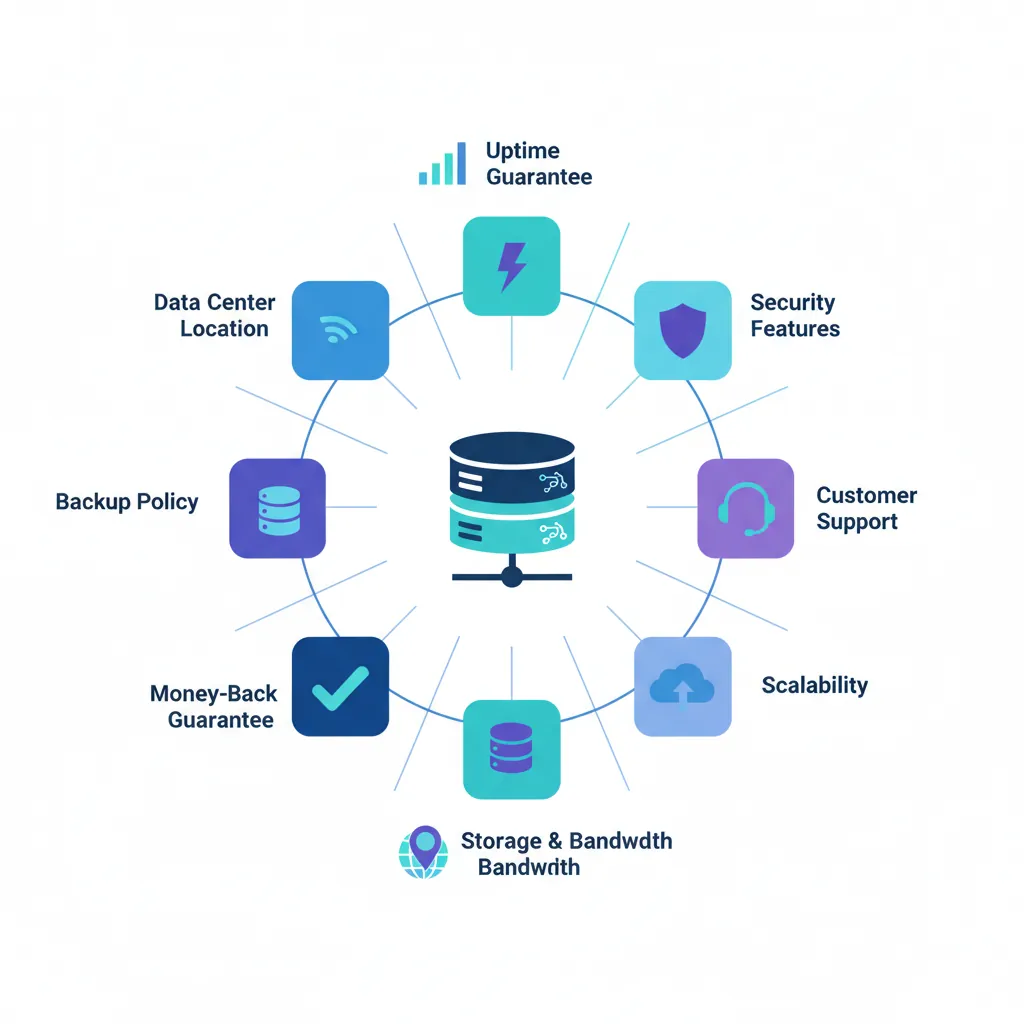
Uptime — the percentage of time your website remains accessible to visitors — is the single most fundamental metric by which any hosting provider must be evaluated. A website that is unreachable is not merely inconvenient; it is commercially damaging, brand-eroding, and invisible to search engines during every minute it remains offline. Google’s crawlers do not retry indefinitely — a site that returns errors consistently risks losing indexed pages and accumulated search ranking authority.
Understanding uptime guarantees requires more than accepting a provider’s advertised percentage at face value. The following breakdown explains what these figures actually mean in real-world operational terms:
| 📊 Uptime Guarantee | ⏱️ Annual Downtime Allowed | ✅ Acceptable For |
|---|---|---|
| 99.9% (Three Nines) | ~8.7 hours/year | Personal blogs, low-traffic sites |
| 99.95% | ~4.4 hours/year | Small business, growing content sites |
| 99.99% (Four Nines) | ~52 minutes/year | eCommerce, affiliate, commercial sites |
| 99.999% (Five Nines) | ~5 minutes/year | Enterprise, mission-critical platforms |
⚠️ Critical Evaluation Point: Always verify uptime performance through independent third-party monitoring data — not the provider’s own reported statistics. Tools like UptimeRobot, StatusCake, and Pingdom publish historical uptime data for major hosting providers. A provider claiming 99.99% uptime but delivering 99.5% in independent measurements represents a fundamental credibility failure that should disqualify them from consideration.
Additionally, examine the compensation structure within the Service Level Agreement (SLA). A meaningful SLA compensates you with service credits proportional to downtime duration. A provider offering no SLA compensation — or restricting credits to cases where downtime exceeds 24 consecutive hours — is signaling low confidence in their own infrastructure reliability.
2. Loading Speed & Server Performance: How Infrastructure Shapes User Experience
Website loading speed is not merely a user experience consideration — it is a direct, documented Google ranking factor with measurable influence on organic search visibility. Google’s Core Web Vitals framework — specifically Largest Contentful Paint (LCP), Interaction to Next Paint (INP), and Cumulative Layout Shift (CLS) — incorporates real-world loading performance data as a component of page experience scoring. A slow website does not just frustrate visitors; it ranks lower in search results, converts fewer visitors into customers, and generates higher bounce rates that further suppress organic visibility in a compounding negative cycle.
Server Technologies That Drive Genuine Performance
- ⚡ Web Server Software — LiteSpeed vs Apache vs Nginx: The web server software processing your website’s page requests has a profound impact on performance under concurrent traffic loads. LiteSpeed Web Server consistently outperforms Apache in WordPress benchmark testing, handling significantly more simultaneous connections while consuming fewer server resources. When evaluating hosting providers, explicitly verify whether LiteSpeed or Nginx is included — Apache-based shared hosting is a performance disadvantage that no amount of caching configuration can fully compensate for.
- 💾 Storage Technology — NVMe SSD vs SATA SSD vs HDD: NVMe (Non-Volatile Memory Express) solid-state storage delivers database read and write speeds up to 6x faster than conventional SATA SSD storage — directly accelerating every WordPress page request, WooCommerce product query, and media file retrieval. Any hosting plan still utilizing traditional HDD storage in 2025 is operating on demonstrably inferior infrastructure. NVMe SSD should be a baseline requirement, not a premium feature.
- 🌐 Content Delivery Network (CDN) Integration: A CDN distributes cached copies of your website’s static assets — images, CSS, JavaScript, fonts — across a global network of edge servers positioned geographically close to your visitors. For websites with international audiences, CDN integration can reduce asset loading latency from 800ms to under 50ms for visitors in distant geographic regions. Verify whether CDN access is genuinely included in your plan — not merely available as a separately billed premium add-on.
- 🔄 Server-Level Caching Architecture: Server-level full-page object caching — implemented at the web server or PHP-FPM layer rather than through a WordPress plugin — stores pre-rendered HTML in server memory, delivering cached pages without executing PHP or querying the database. This architecture produces sub-200ms Time to First Byte (TTFB) under heavy traffic. Plugin-based caching is effective but categorically slower; server-level caching is the infrastructure standard you should demand from any hosting provider you seriously consider.
- 🐘 PHP Version Support: PHP 8.2 and 8.3 deliver significant performance improvements over legacy PHP 7.x versions in WordPress benchmark testing — up to 30% faster execution for equivalent page loads. Verify that your prospective host supports current PHP versions and allows you to select your PHP version independently, without requiring a plan upgrade or technical support request to access modern PHP capabilities.
3. Security Infrastructure: What Your Hosting Provider Must Protect
Website security is not a single feature or an optional premium upgrade — it is a multi-layered operational discipline that begins at the server infrastructure level and extends through every component of your hosting environment. A provider that relegates security to a list of optional paid add-ons is implicitly communicating that protecting your website and your visitors’ data is your problem, not theirs. That is an unacceptable position in 2025.
- 🛡️ Free SSL/TLS Certificate — Standard, Not Optional: Every hosting plan you consider must include a free SSL/TLS certificate as a baseline inclusion. SSL encrypts data transmitted between your visitors’ browsers and your server, activates the HTTPS padlock that builds visitor trust, and is a confirmed Google ranking signal. A provider charging separately for SSL in 2025 is offering infrastructure that belongs to a previous decade.
- 🔥 Web Application Firewall (WAF): A WAF filters malicious traffic — SQL injection attempts, cross-site scripting attacks, credential stuffing, bot traffic abuse — before it reaches your website application. Server-level WAF protection, available through Cloudflare integration or the host’s own security infrastructure, is categorically superior to plugin-based alternatives because it intercepts threats at the network perimeter without consuming your PHP execution resources.
- 🔍 Malware Scanning and Automatic Remediation: Proactive, scheduled malware scanning — ideally daily — detects compromised files before they cause visible damage to your website or trigger Google’s Safe Browsing blacklist. The most capable providers complement scanning with automatic malware removal and immediate notification, eliminating the manual discovery-and-cleanup cycle that can take hours on environments without active monitoring.
- 🔒 DDoS Mitigation Infrastructure: Distributed Denial of Service attacks — floods of artificial traffic designed to overwhelm your server and render your website inaccessible — are increasingly automated and indiscriminate. Enterprise-grade hosting providers deploy network-level DDoS scrubbing that filters attack traffic before it reaches your server, maintaining website availability even during active attack scenarios.
- 🔐 Two-Factor Authentication (2FA) for Hosting Account Access: Your hosting control panel is the administrative gateway to your entire website infrastructure. A provider that supports — and encourages — two-factor authentication for account access demonstrates a mature, security-first operational philosophy. Verify that 2FA is available and enabled by default, not buried in an optional settings menu that most users never discover.
- 🏗️ Account Isolation Architecture: On shared hosting, the method by which the provider isolates individual accounts from each other determines whether a security breach in a neighboring account can create cross-contamination risk for your website. Containerized account isolation — used by SiteGround, Kinsta, and premium shared providers — prevents PHP execution from one account accessing the file system of another. Verify the isolation architecture before committing to any shared hosting environment.
4. Customer Support Quality: Evaluating Help Before You Need It
The true quality of a hosting provider’s customer support is almost always invisible during the initial sales experience — and brutally apparent the moment your website encounters a critical issue at 2:00 AM on a Saturday. Evaluating support quality before you purchase requires deliberate research and, ideally, direct pre-purchase testing that goes beyond reading curated testimonials on the provider’s own website.
- 💬 Support Channel Availability — Live Chat, Phone, and Ticket: Genuine 24/7 live chat support — staffed by technically qualified engineers, not first-level scripted response agents — is the minimum acceptable support standard for any commercial website. Verify that live chat is staffed around the clock, not merely available during business hours with ‘leave a message’ queuing outside those windows. Phone support adds a critical escalation channel for high-severity incidents.
- ⏱️ Response Time Commitments and Real-World Performance: A provider claiming sub-5-minute live chat response times is meaningless without verification. Before purchasing, initiate a pre-sales live chat conversation with a technical question — note the actual response time and evaluate the depth of the answer provided. This single test reveals more about real support quality than any curated review on the provider’s own platform.
- 🎓 Technical Depth vs Scripted Responses: First-level support agents at budget providers are frequently trained to resolve a narrow set of common issues using scripted workflows. When you encounter a WordPress-specific configuration challenge, a plugin conflict, or an unusual database performance issue, scripted responses are of limited practical value. Evaluate whether the provider’s support team demonstrates genuine technical depth — the ability to diagnose novel problems, not merely execute familiar playbooks.
- 📚 Self-Service Knowledge Base Quality: A comprehensive, regularly updated knowledge base — with detailed tutorials, video walkthroughs, and troubleshooting guides covering the full range of hosting configurations and common WordPress scenarios — reflects a provider that invests in user education. This matters particularly for independent website owners who prefer resolving issues autonomously without opening a support ticket for every configuration question.
5. Scalability: Can Your Hosting Grow as Your Website Grows?
Every successful website eventually outgrows its initial hosting environment. The traffic volumes that a new blog generates in its first three months bear no resemblance to the volumes it may sustain following a viral content moment, a successful SEO campaign, or a feature placement in a major publication. The question to ask before purchasing any hosting plan is not merely whether it serves your current needs — it is whether the provider’s infrastructure roadmap aligns with where your website is going.
- 📈 Upgrade Path Transparency: A reputable hosting provider offers a clearly defined, frictionless upgrade pathway from shared hosting to VPS, from VPS to managed cloud, from entry managed WordPress to enterprise tiers — without requiring a full website migration to a different platform or incurring significant re-setup costs. Evaluate the provider’s complete plan ladder before purchasing the entry tier, ensuring the higher tiers genuinely exist and are accessible from your current plan structure.
- ⚡ Traffic Spike Handling — Elastic Resource Allocation: Shared hosting environments with rigid resource caps respond to unexpected traffic spikes by returning 503 Service Unavailable errors to visitors — the worst possible outcome during a high-traffic opportunity. Premium providers implement dynamic resource allocation that automatically absorbs traffic surges without manual intervention or emergency plan upgrades. Verify specifically how your prospective provider handles traffic events that exceed your plan’s standard resource allocation.
- 🔄 Migration Support When You Outgrow Your Plan: When the time comes to migrate your website to a higher-tier hosting environment, the quality of migration support determines whether the transition is smooth and imperceptible to visitors — or a multi-hour ordeal with downtime, broken links, and configuration errors. Providers that offer managed migration assistance as a standard service inclusion remove a substantial operational burden from website owners who lack deep server administration expertise.
6. Storage, Bandwidth, and the Truth Behind ‘Unlimited’ Claims
Few phrases in the web hosting industry cause more confusion — and more post-purchase disappointment — than the word ‘unlimited.’ Unlimited storage and unlimited bandwidth are among the most prominently marketed features in shared hosting, yet both claims carry important asterisks that the marketing materials strategically omit.
- 📦 ‘Unlimited’ Storage — Reading the Acceptable Use Policy: No physical server contains infinite storage capacity. When a hosting provider advertises unlimited storage, they are offering storage subject to a fair use or acceptable use policy that prohibits using your hosting account as a general-purpose file backup system, a media distribution platform, or any use case that consumes disproportionate storage relative to the account’s website traffic. In practice, unlimited storage is generous for standard websites — but always read the acceptable use policy to understand what ‘unlimited’ actually permits.
- 🌐 ‘Unlimited’ Bandwidth — inode Limits and the Real Constraints: Bandwidth limits on shared hosting are frequently replaced by inode limits — restrictions on the total number of files your hosting account may contain. A shared hosting account advertising unlimited bandwidth may impose an inode cap of 150,000–250,000 files. WordPress installations with large media libraries, extensive plugin ecosystems, or large numbers of backup files can approach these limits, triggering account restrictions. Always inquire about inode limits before purchasing any unlimited bandwidth plan.
- 📊 What Adequate Resources Actually Look Like: For a standard WordPress website with a modest media library and moderate traffic, 10–30GB of NVMe SSD storage and 100GB of monthly bandwidth provide ample operational headroom. For WooCommerce stores with large product catalogs, media-heavy publications, or membership platforms with substantial downloadable content, evaluate actual allocated storage figures rather than relying on unlimited marketing language as a genuine resource guarantee.
7. Control Panel & Ease of Management
The control panel is your administrative interface for managing every operational aspect of your hosting account — installing WordPress, creating email addresses, managing databases, configuring DNS records, monitoring resource usage, and accessing error logs. The usability, feature depth, and stability of this interface directly determine how efficiently you can operate your website on a day-to-day basis.
- 🖥️ cPanel — The Industry Standard: cPanel remains the most widely deployed hosting control panel globally — familiar to the broadest range of website owners, developers, and support agents. Its extensive feature set, mature ecosystem of compatible tools, and abundant documentation make it a low-risk choice for website owners who prioritize familiarity and third-party compatibility over innovation. Verify whether your prospective host includes cPanel or a proprietary alternative — the distinction has real implications for your management workflow and the portability of your knowledge.
- 🔧 Proprietary Control Panels — Evaluating Alternatives: SiteGround’s Site Tools, WP Engine’s User Portal, Kinsta’s MyKinsta, and Cloudways’ dashboard are purpose-built management interfaces that deliver clean, WordPress-optimized experiences at the cost of reduced general-purpose flexibility. These proprietary panels frequently offer staging environment management, performance monitoring, and cache controls that standard cPanel installations lack. Evaluate whether the workflow efficiency gains justify any reduction in general hosting portability.
- 🔨 One-Click Application Installers: Softaculous, Installatron, and equivalent one-click installers should be available on any shared hosting plan you consider. These tools deploy WordPress — and hundreds of other web applications — in under 3 minutes without requiring FTP access, manual database creation, or file transfer experience. Their absence from a shared hosting environment is an unusual and inconvenient omission.
8. Backup Policy: Your Last Line of Defense Against Data Loss
Backups are the insurance policy of web hosting — their value is invisible until the moment they are needed, at which point their absence becomes catastrophic. A plugin conflict that corrupts your WordPress database, an accidental file deletion that removes critical theme customizations, or a security breach that modifies hundreds of files across your installation can each be resolved in minutes with a reliable, recent backup — or become a multi-day recovery ordeal without one.
- 📅 Backup Frequency — Daily as the Minimum Acceptable Standard: For any website publishing content regularly — whether a blog updating weekly, an eCommerce store processing daily orders, or an affiliate platform with ongoing content additions — daily automated backups are the minimum acceptable standard. Weekly backups — the default on many budget shared plans — represent a potential data loss window of up to 7 days. Verify backup frequency explicitly and treat anything less than daily as a deficiency requiring either an upgrade or a supplemental backup plugin.
- 🔁 Restore Process — One-Click vs Manual Complexity: The existence of a backup is meaningless if restoring it requires submitting a support ticket, waiting 24 hours for a technician’s response, and hoping the restoration process completes without errors. The gold standard is a one-click restore interface accessible directly from your control panel — enabling you to roll back your website to any available recovery point in under two minutes, independently and at any hour.
- 📦 Backup Storage Location — Off-Server Redundancy: Backups stored exclusively on the same physical server as your live website provide protection against accidental file deletion but offer no protection against server hardware failure or data center incidents. Geographically redundant off-server backup storage — ideally maintained in a physically separate data center from your primary hosting environment — is the architecture standard that enterprise providers implement and that your hosting plan should reflect.
- 📋 Backup Retention Period: How many days of backup history does the provider retain? A retention window of 14–30 days provides meaningful recovery flexibility — particularly for security incidents where malicious code may have been present for several days before detection. A retention window of only 24–48 hours provides minimal recovery options and represents a genuine risk for actively maintained websites.
9. Money-Back Guarantee & Contract Flexibility
A hosting provider’s refund policy and contract flexibility structure reveals more about their confidence in the quality of their service than almost any other operational signal. Providers that offer generous, straightforward money-back guarantees are demonstrating certainty that their service quality will retain customers voluntarily — without relying on contractual lock-in to prevent cancellations driven by dissatisfaction.
- ✅ 30-Day Money-Back Guarantee — The Minimum Industry Standard: A 30-day unconditional money-back guarantee provides adequate evaluation time for straightforward website deployments — sufficient to install WordPress, evaluate control panel usability, run performance benchmarks, and test support responsiveness under realistic conditions. Providers offering shorter windows — 14 days or 7 days — are reducing your evaluation period in ways that disproportionately benefit the provider rather than the customer.
- 🌟 45-Day and 97-Day Guarantees — Above-Standard Confidence Signals: Several premium hosting providers offer extended refund windows as a deliberate demonstration of service quality confidence. A 45-day or longer guarantee gives you time to evaluate performance under realistic traffic conditions, test support quality across multiple interaction types, and assess platform stability with your actual WordPress configuration — providing the comprehensive evaluation window that a 30-day window occasionally cannot accommodate.
- 📝 Annual vs Monthly Billing — Evaluating Lock-In Risk: Annual prepayment commitments deliver substantial cost savings over monthly billing but remove billing flexibility if your hosting needs change, your website outgrows the plan, or the provider’s service quality declines after the initial promotional period. For websites with established performance requirements and stable traffic profiles, annual commitments represent excellent value. For new websites being built from scratch, consider a shorter initial commitment even at a higher monthly rate — securing the flexibility to migrate without financial penalty if the provider fails to meet expectations.
10. Data Center Location & Global Performance Coverage
The physical location of the server hosting your website has a direct, measurable impact on loading speed for your primary visitor audience. Network latency — the time required for data to travel between a visitor’s browser and your server — increases proportionally with geographic distance. A server hosted in Frankfurt delivers superior loading performance to European visitors but introduces measurable latency for visitors in Southeast Asia or South America.
- 🌍 Matching Data Center Location to Your Target Audience: Before selecting a hosting plan, identify your website’s primary geographic audience. A local service business website targeting customers in Sydney should prioritize hosting with an Australian data center option. An affiliate marketing site targeting North American audiences should select US East or West Coast server locations. A global publication requires CDN distribution to serve multiple geographic audiences with consistently low latency — a single server location, however well-positioned, cannot achieve sub-100ms TTFB for a genuinely international visitor base.
- 🏢 Data Center Infrastructure Quality — Tier Classification: Data centers are classified from Tier I (basic power and cooling redundancy) to Tier IV (fully fault-tolerant infrastructure with no single point of failure). Enterprise hosting providers operate from Tier III and Tier IV certified facilities with redundant power supply (UPS systems + diesel generators), N+1 cooling infrastructure, and multiple independent network connectivity providers — the physical foundations of genuine uptime guarantee credibility.
- 🌐 Multiple Data Center Options — Flexibility as a Feature: Hosting providers offering multiple data center location options at the point of account creation provide a meaningful performance optimization lever that single-location providers cannot match. The ability to select a server location in the US, Europe, Asia-Pacific, or South America — and migrate between locations as your audience profile evolves — is a feature worth explicitly evaluating during your provider comparison process.
11. The Complete Pre-Purchase Evaluation Checklist
Use the following structured checklist to systematically evaluate any hosting provider before committing your website to their infrastructure:
| ☑️ Evaluation Factor | ✅ What to Confirm | ⚠️ Red Flag if Absent |
|---|---|---|
| Uptime Guarantee | 99.9%+ with SLA compensation terms | No SLA or compensation clause |
| Storage Type | NVMe SSD explicitly stated | HDD or unspecified storage type |
| Web Server | LiteSpeed or Nginx confirmed | Apache-only on shared plans |
| Free SSL | Let’s Encrypt or equivalent included | SSL sold as paid add-on |
| Daily Backups | Automated daily with 14+ day retention | Weekly only or manual backups |
| One-Click Restore | Self-service restore from control panel | Requires support ticket to restore |
| 24/7 Live Support | Live chat staffed at all hours | Business hours only or ticket-only |
| WAF / Security | WAF included or Cloudflare integration | No firewall — plugin-only security |
| CDN Access | Included in plan or free Cloudflare integration | CDN sold as separate paid add-on |
| PHP Version Control | PHP 8.2/8.3 selectable from control panel | Fixed PHP version — no user control |
| Money-Back Guarantee | 30 days minimum, unconditional | Under 30 days or conditional only |
| Scalability Path | Clear upgrade tiers available from current plan | Migration required to different provider |
| Data Center Choice | Multiple locations selectable at signup | Single location, no choice |
| Account Isolation | Containerized or virtual account separation | No stated isolation architecture |
| Malware Scanning | Automated daily scanning included | No scanning — plugin responsibility only |
12. Red Flags: Warning Signs That Should Disqualify a Provider
Beyond the positive checklist of features to confirm, the following warning signals — when present — should prompt serious reconsideration or outright disqualification of a hosting provider from your shortlist:
- 🚩 No Transparent Renewal Pricing: Any provider that fails to display renewal rates clearly alongside introductory pricing is deliberately obscuring a critical financial reality from prospective customers. This lack of transparency at the sales stage is a reliable predictor of similar opacity in billing disputes, cancellation processes, and refund requests.
- 🚩 Overwhelmingly Positive Review Profiles With No Negative Feedback: Authentic customer review profiles across thousands of customers invariably include a proportion of negative experiences. A hosting provider with 98%+ positive reviews across all platforms — particularly if those reviews are concentrated in short time windows — may be engaging in review solicitation practices that produce unrepresentative sentiment data. Prioritize reviews on independent platforms: Trustpilot, G2, HostAdvice, and Reddit hosting communities.
- 🚩 Restrictive Cancellation and Refund Processes: Cancellation processes requiring phone calls, extensive retention agent conversations, or multi-step verification procedures disproportionate to account security requirements signal that the provider retains customers through friction rather than satisfaction. The cancellation process should be as straightforward as the signup process.
- 🚩 Overselling — Resource Allocation Below Published Specifications: Some shared hosting providers allocate server resources below the specifications advertised in their plan descriptions — a practice known as overselling. Independent performance testing through tools like GTmetrix, WebPageTest, and Pingdom, combined with TTFB measurements under realistic page load scenarios, reveals actual performance delivery versus marketed specifications.
- 🚩 No Clear Ownership or Company Background Information: Web hosting providers without transparent company information — publicly listed ownership, registered business addresses, verifiable company history — present accountability risks that established providers do not. When your website’s operational continuity depends on a provider, understanding who operates that infrastructure and how to reach them during a critical incident is not optional.
13. Frequently Asked Questions
Q: What is the single most important factor when choosing a web hosting provider?
If forced to prioritize a single factor, uptime reliability — verified through independent third-party monitoring data rather than the provider’s own reported statistics — is the most foundational. A hosting environment with excellent performance, comprehensive security, and outstanding support that is frequently unavailable delivers zero value during its downtime periods. Uptime is the precondition upon which every other hosting benefit depends. After uptime, loading performance and support quality are the most consequential differentiators between providers at equivalent price points.
Q: How do I verify a hosting provider’s actual uptime before purchasing?
The most reliable method is consulting independent monitoring platforms that track historical uptime for major hosting providers: UptimeRobot’s public status pages, HostingFacts uptime tracking reports, and detailed reviews on HostAdvice that publish independently measured uptime data. Reddit communities — particularly r/webhosting and r/WordPress — provide unfiltered user experiences from website owners who have personally experienced the provider’s actual reliability over extended periods. Complement this research by running your own monitoring after purchasing, using free tools like UptimeRobot to track your site’s availability from your first day of hosting.
Q: Is ‘unlimited’ storage and bandwidth genuinely unlimited?
In practice, no. Unlimited storage and bandwidth offers are governed by Acceptable Use Policies that prohibit disproportionate resource consumption relative to standard website operation. The intention is to provide sufficient resources for typical websites without the complexity of rigid storage caps — not to permit use cases like backup archives, software distribution platforms, or high-volume media streaming. For standard WordPress websites, unlimited plans provide genuinely ample resources. For resource-intensive applications, evaluate explicit inode limits and CPU allocation specifications rather than relying on unlimited marketing language.
Q: What control panel should I look for in a web hosting plan?
cPanel remains the industry standard for shared hosting and provides the broadest ecosystem compatibility, the most extensive documentation, and the most transferable skill set across different hosting environments. For WordPress-specific hosting, purpose-built proprietary panels from providers like SiteGround (Site Tools), Kinsta (MyKinsta), and WP Engine offer WordPress-optimized workflows — staging management, cache controls, performance monitoring — that standard cPanel lacks. The best control panel is the one that enables you to manage your specific website efficiently without requiring constant support ticket escalation for routine tasks.
Q: How many websites should my hosting plan support?
For individuals launching a single website, a single-site hosting plan is entirely appropriate and often delivers better resource allocation per website than multi-site plans at the same price tier. Bloggers, freelancers, and small agencies managing multiple client websites should evaluate hosting plans that explicitly support multiple domains under a single account — SiteGround’s GrowBig and GoGeek plans, Hostinger’s Business tier, and reseller hosting arrangements provide scalable multi-site management without requiring separate account subscriptions for each individual website.
Ready to Choose Your Hosting Plan? — Browse Our Verified 2025 Deals
You are now equipped with the complete knowledge framework to evaluate any hosting provider with the precision and confidence of an informed technical buyer. You know which features are genuine performance differentiators and which are marketing language. You know what uptime guarantees actually mean in operational terms, which security components should never be optional extras, and which red flags should prompt you to continue your search rather than commit your website to an underperforming environment.
Every hosting provider in our curated recommendations section has been evaluated against the same rigorous checklist you have just reviewed — independently tested for real-world loading performance, independently monitored for uptime reliability, and personally assessed for support quality across multiple interaction scenarios. We have done the research so that your purchasing decision can be made with confidence rather than uncertainty.